
Your personal oncology app
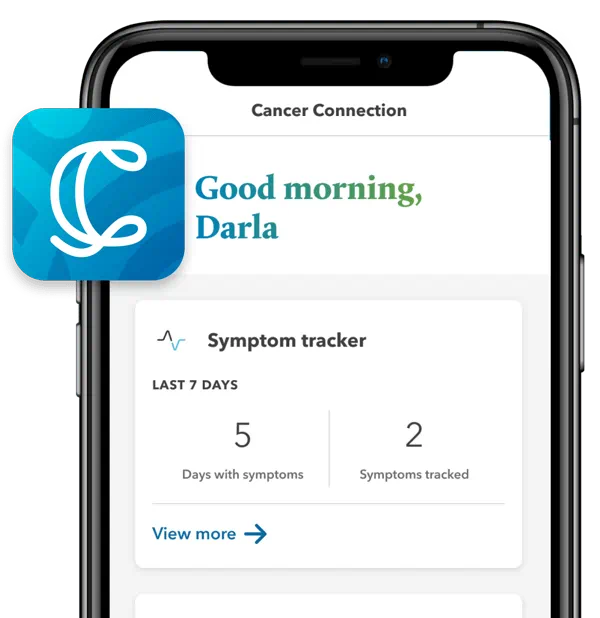
Track your symptoms and drainage post-surgery, explore curated educational content, jot down notes during appointments, and keep track of your care-related tasks.


App tour video
Cancer Connection Walkthrough
0:00
Hello and welcome.
0:01
Today I'll be your guide as we explore Alina Health's mobile app, Cancer Connection.
0:07
This app is designed specifically for breast and lung cancer patients to help you manage your health and feel more supported throughout your care journey.
0:15
In this tour, I'll walk you through the onboarding process and show you how to get the most out of the apps key features.
0:22
Let's get started.
0:26
When you first download the app, you'll sign in using your My Chart credentials.
0:31
Once you're all signed in, you'll arrive at the homepage.
0:37
Here, you'll see a snapshot of the app's features at a glance.
0:43
The homepage is fully customizable, allowing you to choose which widgets you want to see and rearrange them to match your priorities.
0:52
Think of it as your personal dashboard tailored to your needs.
1:00
Next, let's open the menu and explore the apps features, starting with trackers.
1:05
Cancer Connection includes 3 trackers designed to support different aspects of your care.
1:11
The first tracker helps you monitor symptoms over time.
1:14
You can log the symptoms you're experiencing, note the severity, and add optional notes.
1:26
This makes it easier to spot trends and have more informed conversations with your care team about how you're responding to treatment or medications.
1:35
The second tracker is designed to help you track drainage from a Jackson Pratt train after a surgical procedure.
1:42
To set up the drainage tracker, you can add multiple drains, A drainage goal, and any notes you've received from your provider.
1:51
For example, if you've had a mastectomy and have two drains, it may be helpful to name them left and right to ensure easier and more consistent tracking.
2:00
You'll also find helpful guidance built directly into the trackers.
2:04
Instructions for caring for your drain are available on the tracker summary page and step by step instructions for emptying your drain appears when you log an entry.
2:16
Each time you record drainage, the app totals your daily volume and tracks it over time.
2:25
The app can also alert you when you've reached the drainage goal set by your provider, helping signal when it may be time for drain removal.
2:33
The third tracker supports improving lung function through guided deep breathing exercises.
2:39
If your provider has assigned a daily goal, you can enter it here and monitor your progress as you work to increase lung capacity.
2:47
You can find general instructions under Setup.
2:51
From here, you can log a new entry by recording the number reached during your session.
2:57
Can also add notes to track your progress over time.
3:01
Cancer treatment and recovery can be complex, and finding reliable information online isn't always easy.
3:08
Through a partnership with Walters, Kluwer, Cancer Connection offers curated, up to date, and expert reviewed educational content in the Learning Library.
3:18
Content is organized by topic, and if you find an article especially helpful, you can bookmark it to revisit later from the Learning Library home.
3:31
Moving to the notepad feature, here you can jot down notes from your provider during appointments or keep track of any other notes related to your cancer care.
3:40
You can also list questions you want to ask during your next visit so you never lose track of a question.
3:46
Not sure what to ask?
3:47
We've provided a list of commonly asked questions so that you can add to your list to get all the answers that you need.
3:56
The To Do section helps you manage your care related tasks.
3:59
We provide a few recommended tasks, but you can also add your own and assign a date and time and indicate whether or not you'd like an alert beforehand.
4:13
Depending on the date of the task, it will either appear under the To Do tab or under the Upcoming tab if it's a task to you in the future.
4:22
Finally, we have the Resources section.
4:25
Here you'll find a variety of resources recommended to you by Allina Health.
4:29
Whether you're looking for support services, information on free lodging during treatment, or advice on discussing your condition with your loved ones, our resources section has you covered.
4:40
And that concludes our tour.
4:42
We've designed this app with your needs in mind.
4:45
We hope that it will be a valuable tool to assist you in your care with Alina Health.
4:50
Thank you for joining me today and take care.
Explore the app
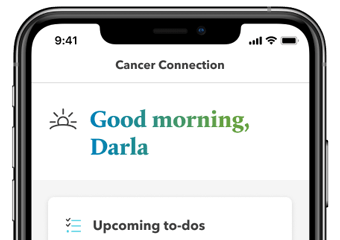
Tailor the homepage to your needs by choosing what you want to see in your preferred order.

Track your symptoms and log your drainage post-surgery to guide conversations with your care team on your ongoing progress.

Access resources recommended to you by Allina Health covering a variety of topics including support services and advice on discussing your condition with loved ones. You can also explore the curated, up-to-date, and expert-reviewed educational content in our learning library.

Jot down notes from your provider during appointments or keep track of questions you want to ask during your next visit so you never lose track of a question. Not sure what to ask? We’ve provided a list of commonly asked questions that you can add to your list to get all the answers you need.